
Next public class: Power BI Mastery Live · 24 Oct 2026 · Zoom. Register now
Digital AnalyticSolution Sdn Bhd
  • Services
  • Team trainingIn-house programmes for your organisationProgramme cataloguePower BI, Excel and AI agentsLive trainingUpcoming Zoom and classroom sessionsE-learning coursesSelf-paced video lessons, learn anytime
  • Power BI hubConsulting, training and learning in one placeLive dashboard demosClick through real Power BI dashboardsE-Learning Power BI MasterySelf-paced video libraryLive Webinar Power BI MasteryLive on Zoom with the trainerSeminar Fizikal Power BI MasteryTwo-day classroom in Shah AlamAll Access: Power BI + PL-300E-learning plus PL-300 preparation
  • ArticlesPractical notes on Power BI, automation and AIFree resourcesTemplates, guides and checklistsReporting assessmentCheck how ready your reporting is
  • About
  • Contact
Log inBook a Call
Services
TrainingTeam trainingProgramme catalogueLive trainingE-learning courses
Power BIPower BI hubLive dashboard demosE-Learning Power BI MasteryLive Webinar Power BI MasterySeminar Fizikal Power BI MasteryAll Access: Power BI + PL-300
ResourcesArticlesFree resourcesReporting assessment
AboutContactLog inBook a Call

Loading...

Digital AnalyticSolution Sdn Bhd

From data to decisions.

  • 012-341 1354
  • admin@digitalanalyticsolution.com
  • WhatsApp us

Our work

HomeServicesLive dashboardsProgramme cataloguePublic classes

Company

AboutBlogFree resourcesContact

© 2026 Digital Analytic Solution Sdn Bhd · 202401013298 (1559148-D) · Puchong, Selangor

Let’s continue on WhatsApp

Share a few details and we will reply on WhatsApp.

“”

We save your details to follow up on this inquiry.

From Data to Decisions

Still copying data, chasing approvals and rebuilding the same report every week?

Bring us the manual work. Leave with systems that run themselves.

Excel reports become Power BI dashboards. Email approvals become Power Automate workflows. Paper forms become web apps, built fast with AI vibe coding. Repetitive questions go to an AI agent built with Claude, ChatGPT or n8n. We build it for you, or train your team to build it.

Request a quoteTry a live dashboard
293629434973660878075634214579733350858530194175806742730445074770979233512450854276042615394356733872115107276361613488288589058266493083451070921271383689524452703187163285697844585182043781760326467097922386833717249003702992906209021908682598079681
Data
921271383689524452817034556738004807683776638786
Model
Dashboard
Decision

The tools we build and teach with, every week:

  • Power BIPower BI
  • ExcelExcel
  • PowerPointPowerPoint
  • OneDriveOneDrive
  • SharePointSharePoint
  • Power AppsPower Apps
  • Power AutomatePower Automate
  • CopilotCopilot
  • Google SheetsGoogle Sheets
  • Google DriveGoogle Drive
  • n8nn8n
  • SupabaseSupabase
  • LovableLovable
  • ClaudeClaude
  • ChatGPTChatGPT
  • GeminiGemini
  • AntigravityAntigravity
  • GitHubGitHub
  • PythonPython
  • Looker StudioLooker Studio
  • Power BI
  • Excel
  • PowerPoint
  • OneDrive
  • SharePoint
  • Power Apps
  • Power Automate
  • Copilot
  • Google Sheets
  • Google Drive
  • n8n
  • Supabase
  • Lovable
  • Claude
  • ChatGPT
  • Gemini
  • Antigravity
  • GitHub
  • Python
  • Looker Studio
Training

Training you can book today.

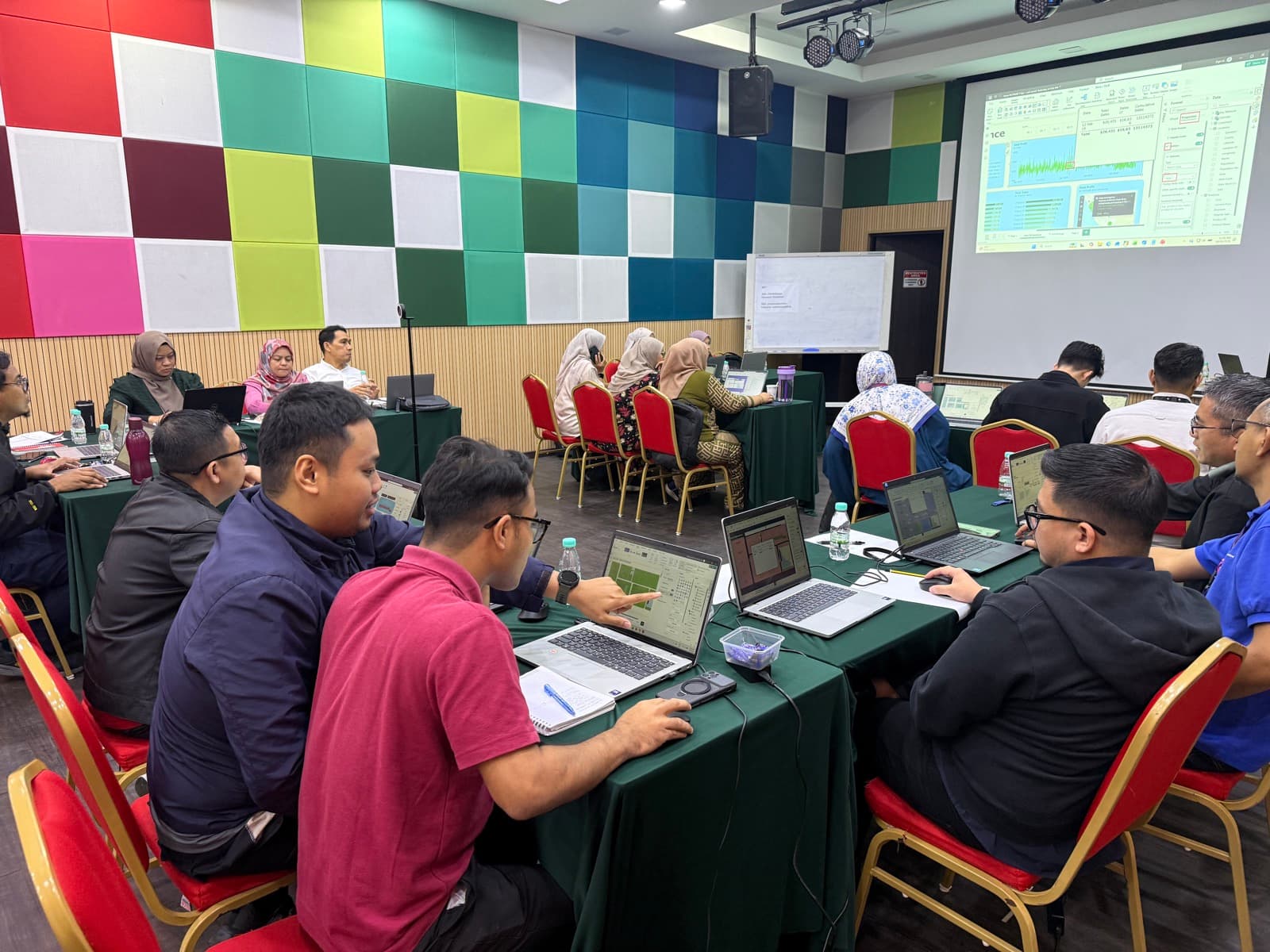
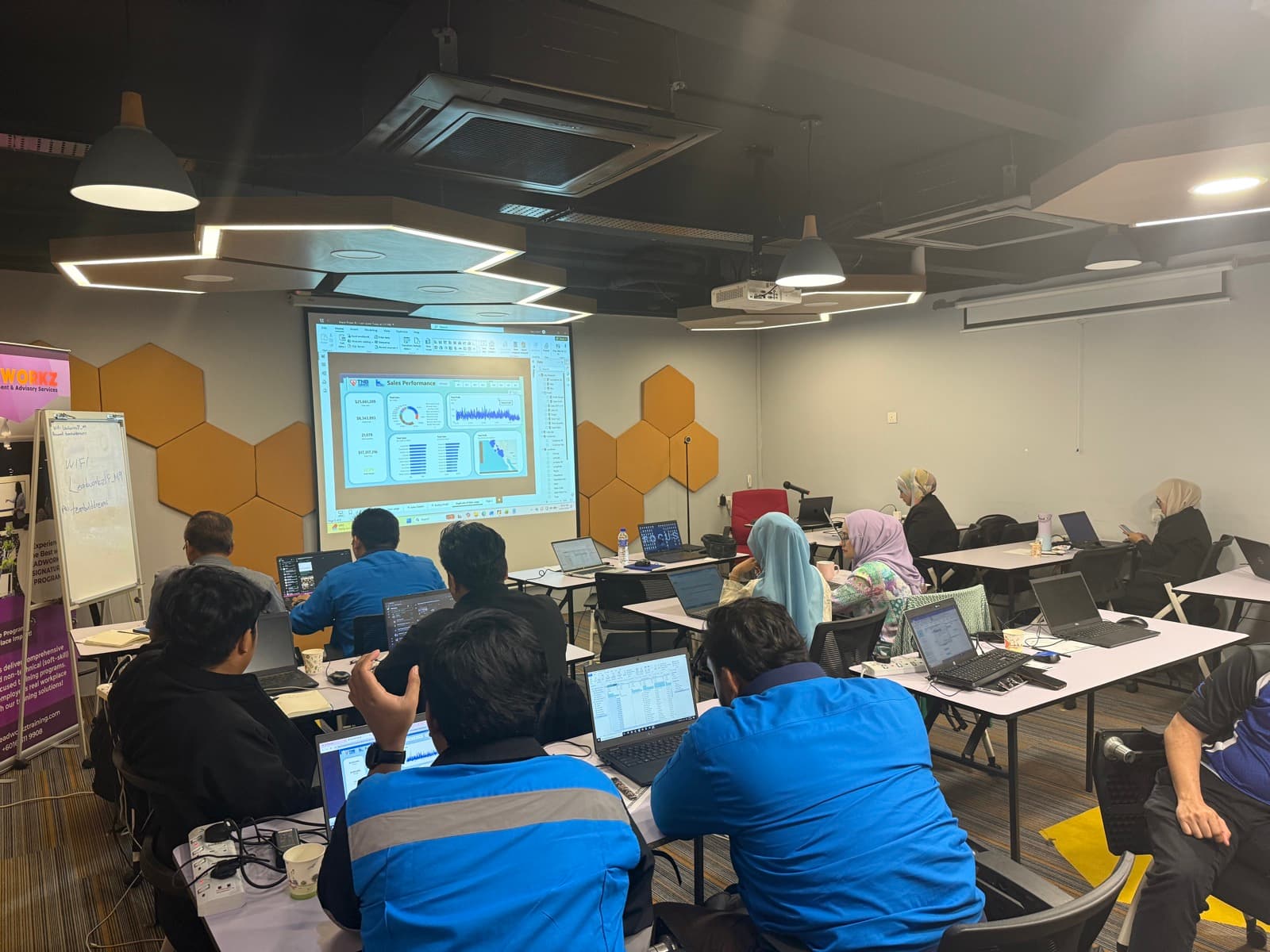
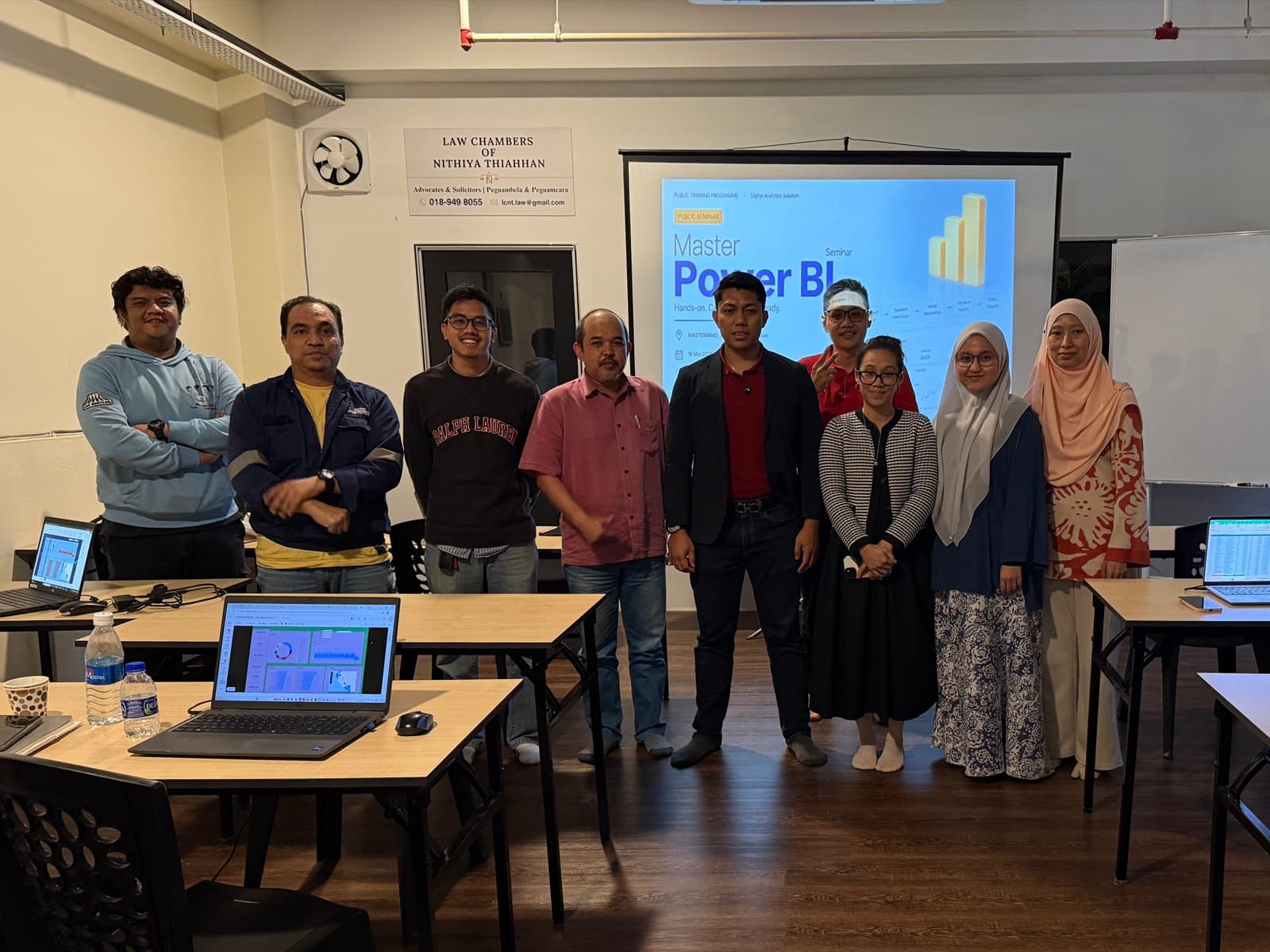
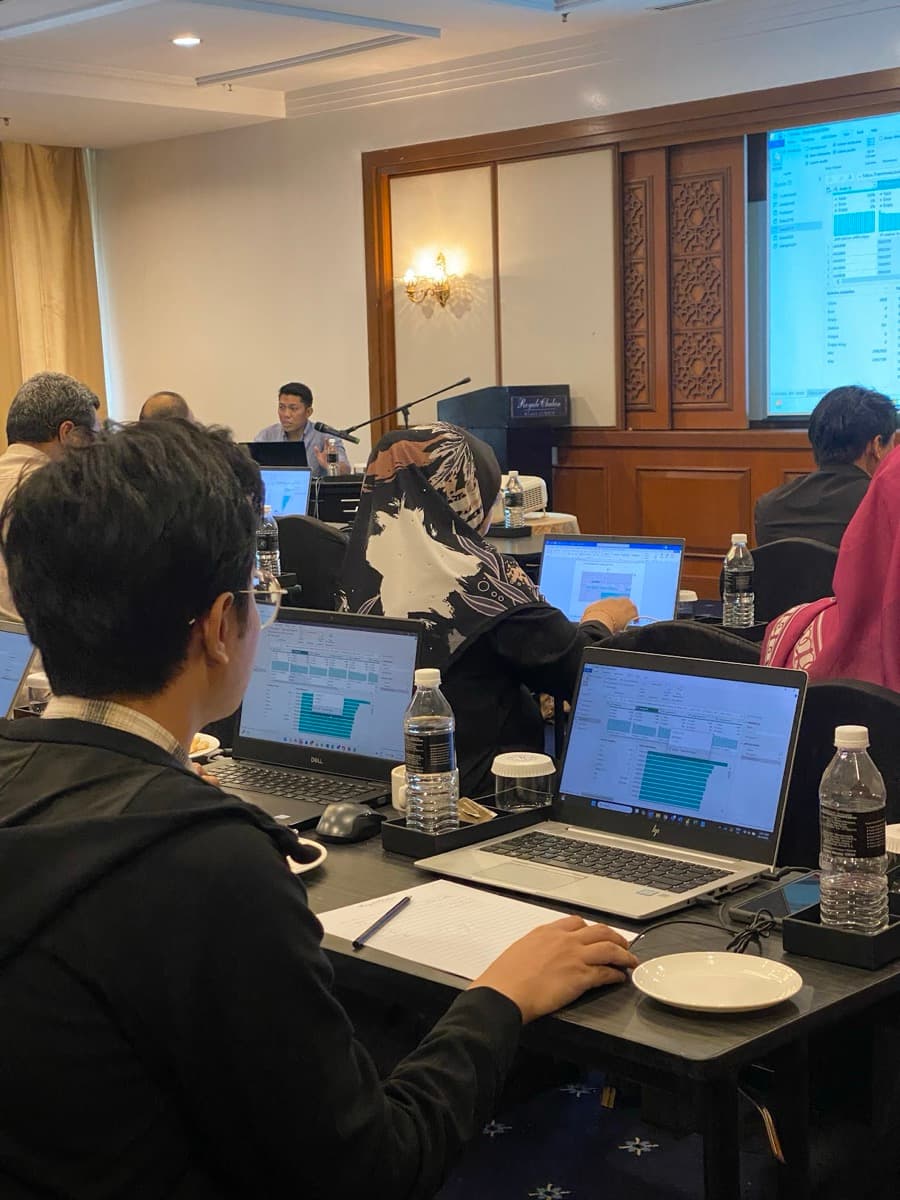
Hands-on programmes in Power BI, Excel and AI agents. Run them in-house for your team, or join a public class on Zoom or in Shah Alam.

HomeInsertModelingView–✕
Power BIData analysis & dashboardswith Hariz Sharif
2 daysMost popular
All departmentsBeginner to intermediate

Microsoft Power BI: Data Analysis, Dashboarding and Reporting Automation

The complete reporting workflow, from data connection to a published dashboard.

10 modules · 2 daysView programme→
HomeTransformAdd ColumnView–✕
Power BIAutomated reportingwith Hariz Sharif
Applied stepsSourceCombined filesChanged typeUnpivoted columns
1 day
Excel usersIntermediate

Power BI for Automated Reporting: Turn Excel Reports into Interactive Dashboards

Rebuild a manual Excel report in Power BI, so it refreshes itself.

6 modules · 1 dayView programme→
FileHomeInsertFormulasData–✕
ExcelData analysis & reportingwith Hariz Sharif
1234
1 day
All departmentsBeginner to intermediate

Excel for Data Analysis and Reporting: From Raw Data to Management Dashboard

A clean, reliable Excel report and a dashboard template you reuse every month.

6 modules · 1 dayView programme→
WorkflowsCredentialsExecutions–✕
AI AgentsFor everyday workwith Hariz Sharif
1 day
All departmentsBeginner to intermediate

AI Agents for Work: Automate Excel, Power BI and Everyday Reporting

Hand AI agents the work that fills your week: reports, dashboards, decks and papers.

7 modules · 1 dayView programme→
Browse the full programme catalogue
Upcoming public classes

Join the next class.

Full schedule

October 2026

  • LIVEZoom Meeting–✕
    Power BILive on Zoomwith Hariz Sharif
    Sat · 24 Oct
    Zoom classWeekendHRD Corp claimable

    Power BIPower BI Mastery Live · Zoom

    Sat · 24 Oct 2026 · 9:00am – 6:00pm · Zoom · Hariz Sharif

    RM350RM200Promo25 seats
    Pilih Zoom

November 2026

  • Power BI Desktop–✕
    Power BI2-day classroomwith Hariz Sharif
    Shah Alam · 15 pax
    Tue–Wed · 17–18 Nov
    Physical classWeekdayHRD Corp claimable

    Power BIPower BI Mastery Live · 2 hari

    Tue–Wed · 17–18 Nov 2026 · 9:00am – 5:00pm · Shah Alam · Hariz Sharif

    RM1,500RM700Promo, self-fundedRM1,000 with HRD Corp claim15 seats
    Pilih Physical Class
  • Power BI Desktop–✕
    Power BI2-day classroomwith Hariz Sharif
    Shah Alam · 15 pax
    Sat–Sun · 21–22 Nov
    Physical classWeekendHRD Corp claimable

    Power BIPower BI Mastery Live · 2 hari

    Sat–Sun · 21–22 Nov 2026 · 9:00am – 5:00pm · Shah Alam · Hariz Sharif

    RM1,500RM700Promo, self-fundedRM1,000 with HRD Corp claim15 seats
    Pilih Physical Class
About Us

Practitioners across reporting, automation and AI.

RM4.7M

Power BI Reporting & Dashboards

We connect your data, agree the KPIs with your team and build dashboards that refresh on their own, so meetings start from the numbers instead of preparing them.

Approvals Reminders
SharePoint
n8n

Workflow & Approval Automation

Requests, approvals, reminders and document routing that run themselves, with a clear owner, status and record for every item.

Claude
Knowledge base Human review
ChatGPT

AI Agents & Copilot Adoption

AI that reads documents, answers from your own knowledge and drafts the next step, with a person approving what matters. Rolled out with clear usage rules.

Digital Analytic

Team Training & Handover

Practical in-house programmes and public classes, so your people can maintain and extend what we build. HRD Corp claimable for eligible programmes.

Request a quote
Why Us

Senior practitioners who build, then teach.

Built on real reporting work

Our trainers handle reporting in engineering, operations and maintenance. Every dashboard and workflow we build comes from problems we solve at work, not from a textbook.

We build it, then teach it

Every project ends with documentation and hands-on training, so the solution keeps working after we leave and your team can extend it themselves.

Certified and HRD Corp claimable

Led by a Microsoft PL-300 certified Power BI Data Analyst and HRD Corp accredited trainer. Eligible programmes can be claimed under HRD Corp.

You own everything

Reports, workflows, code and accounts stay in your organisation. No lock-in, and 30 days of support after every delivery.

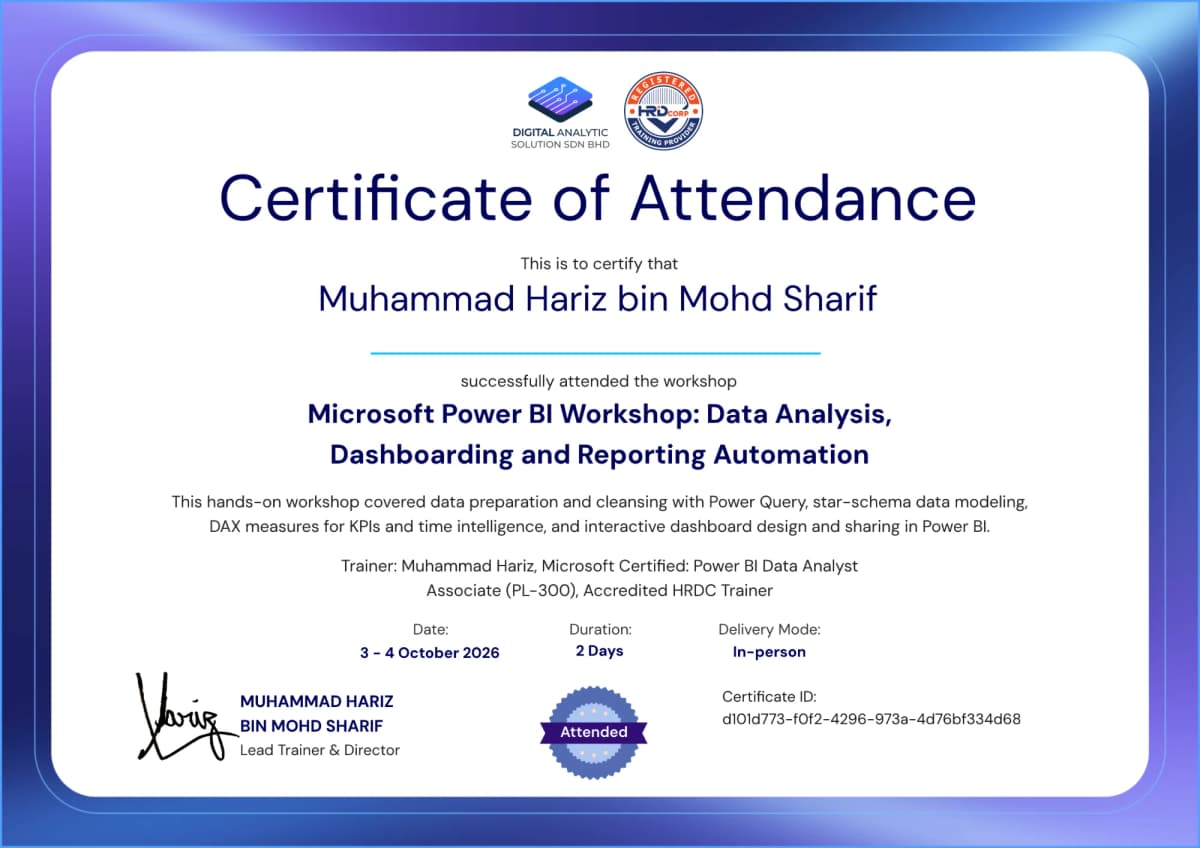
Certificates

Our credentials

Microsoft certified, HRD Corp registered and working daily in the tools we teach. Every participant receives a verifiable certificate of attendance.
Microsoft Certified: Power BI Data Analyst Associate (PL-300)
HRD Corp registered training provider
HRD Corp claimable training
Example verifiable certificate of attendance for a Power BI workshop
Get a Quote
Services

Our services

Data & dashboards

Power BI Dashboards & Reporting

We connect your data, define the KPIs with your team and build dashboards that refresh on their own, so meetings start from the numbers instead of preparing them.

From RM3,000
Department solutions

Department Reporting Solutions

Reporting built around one team’s real work: workforce analytics for HR, month-end packs for finance, spend analysis for procurement and progress tracking for projects.

From RM2,500
Excel automation

Excel & Power Query Automation

We replace the weekly copy, paste and clean-up with repeatable Power Query steps and structured workbooks, so a report that took days refreshes in one click.

From RM1,500
Automation

Workflow & Approval Automation

We map your manual process and build reliable workflows for requests, approvals, reminders and notifications, with a clear status and record for every item.

From RM5,000
AI agents

AI Agents & Chatbots

AI agents that read requests, look up information and take action across your tools, with a person approving the important steps. Grounded in your own documents and data.

From RM5,000
AI adoption

Copilot & AI Assistant Rollout

We set up Microsoft 365 Copilot, Claude or ChatGPT for your team with business context, usage guidelines and a prompt library, so the licences turn into real time saved.

From RM5,000
Custom applications

Websites & Web Apps (Vibe Coding)

Websites, internal tools and customer portals with their own login and database, built fast with vibe coding (AI-assisted development) on Supabase and Vercel, with the code handed over to your account.

From RM5,000
Strategy & advisory

Data & AI Advisory

Not sure where to start? We review your current reporting, data and workflows, then give you a prioritised plan: what to build, what to train and what to skip.

All departments
Departments

Built for the way each team works.

The same method, shaped around each department’s data and decisions. Most of these dashboards are live, so you can click through them yourself.

Human Resources

Headcount, attrition, performance and engagement in one workforce view.

Try the live HR dashboard

Finance & Oil and Gas

Income statement, budget versus actual, unit costs and cash flow.

Try the live finance dashboard

Procurement

Spend, negotiated savings, supplier performance and contract compliance.

Try the live procurement dashboard

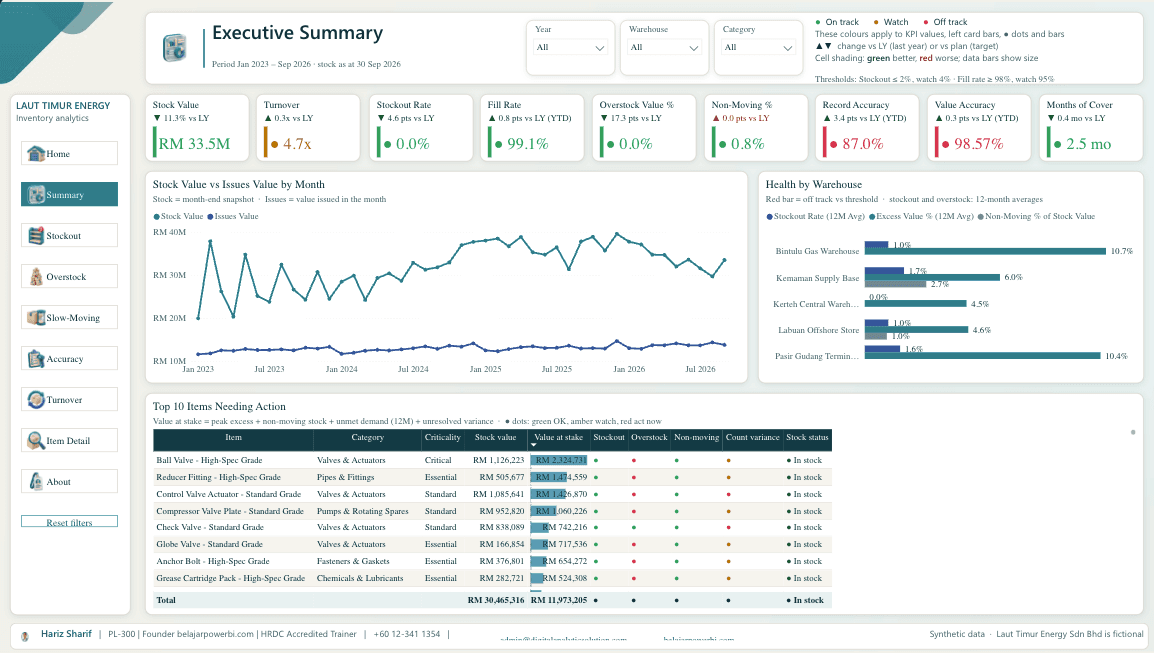
Inventory & Warehouse

Stock availability, excess, slow-moving items and accuracy by warehouse.

Try the live inventory dashboard

Maintenance & Operations

OEE, downtime, backlog and work orders for plant and asset teams.

Try the live maintenance dashboard

Project Management

Progress, S-curves, cost variance and automated weekly status updates.

See the Power BI programme

Sales & Marketing

Pipeline, branch performance and campaign results that refresh on schedule.

See automated reporting
Get a Quote
Reviews

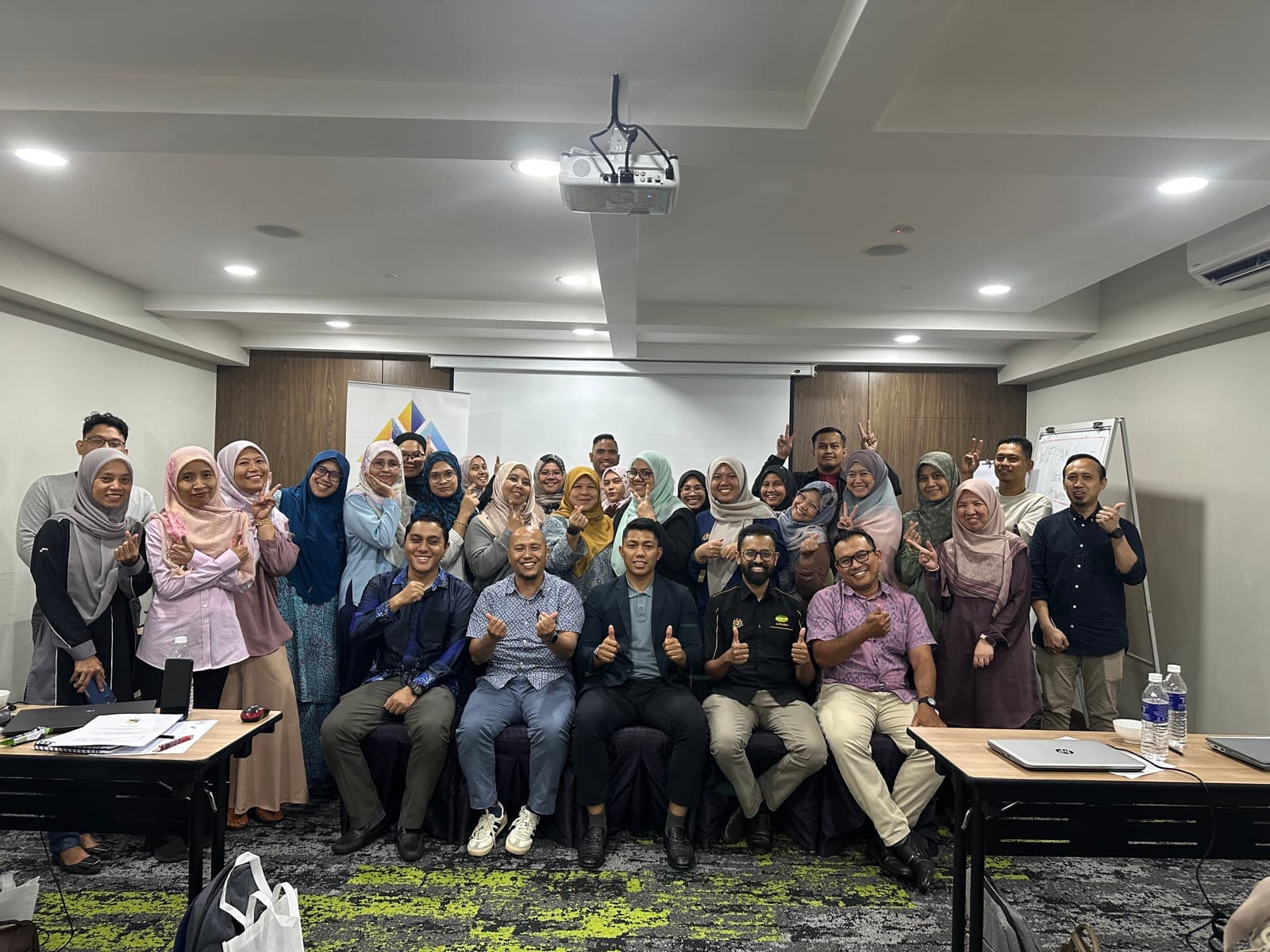
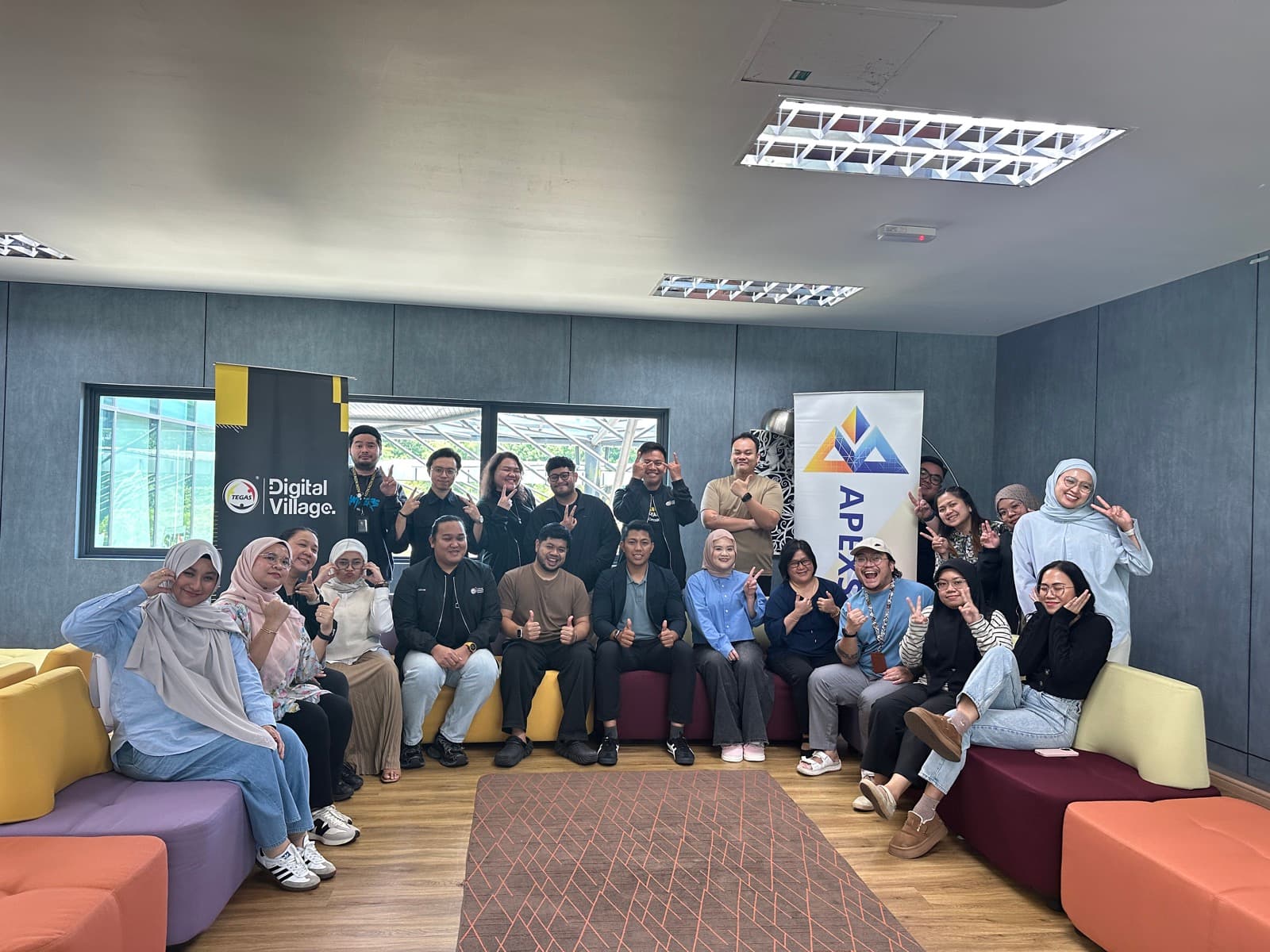
Our participants love us

Trustpilot★★★★★Great exposure for beginners
I enjoyed attending the Power BI class today. I’m happy to learn more about Power Query and how to properly organize and structure data. The session was helpful and gave me a better understanding of data preparation for analysis.
Nur Hanis Aznool
Course feedback
Kelas ni amat sesuai untuk pemula. Every step tu dia akan explain cara penggunaan yang dan boleh terus tanya dia kalau kurang jelas. Overall, terbaikkk.
Power BI workshop participant
Trustpilot★★★★★My experience
Proses pembelajaran yang sangat menyenangkan. Mudah untuk difahami. Tenaga pengajar yang berpengalaman dan menjawab semua soalan dengan cepat dan pantas.
Norzarime Osman
Trustpilot★★★★★A good starting point
This Power BI course is a good starting point for beginners who are new to data analysis and business intelligence tools. The step-by-step demonstrations make it easier to follow along, even for learners with no prior experience.
Nur Ainina
Trustpilot★★★★★Great exposure for beginners
I enjoyed attending the Power BI class today. I’m happy to learn more about Power Query and how to properly organize and structure data. The session was helpful and gave me a better understanding of data preparation for analysis.
Nur Hanis Aznool
Course feedback
Kelas ni amat sesuai untuk pemula. Every step tu dia akan explain cara penggunaan yang dan boleh terus tanya dia kalau kurang jelas. Overall, terbaikkk.
Power BI workshop participant
Trustpilot★★★★★My experience
Proses pembelajaran yang sangat menyenangkan. Mudah untuk difahami. Tenaga pengajar yang berpengalaman dan menjawab semua soalan dengan cepat dan pantas.
Norzarime Osman
Trustpilot★★★★★A good starting point
This Power BI course is a good starting point for beginners who are new to data analysis and business intelligence tools. The step-by-step demonstrations make it easier to follow along, even for learners with no prior experience.
Nur Ainina
LinkedInExciting milestone
Thrilled to share that I have successfully completed a 7-hour Microsoft Power BI Workshop with Digital Analytic Solution Sdn Bhd… A big thank you to Muhammad Hariz Mohd Sharif, the founder and lead trainer, and his amazing team… Their expertise made this learning experience truly enriching.
Thuwaibah Abdul LatifSenior L&D Professional
Trustpilot★★★★★PowerBI training feedback
Although I had basic Power BI skills prior to the training, the session effectively covered both fundamental and intermediate topics and was suitable for participants at different skill levels. It also provided useful tips and tricks to improve efficiency and enhance the design of Power BI visuals.
Hasya Yusof
Trustpilot★★★★★The trainer is knowledgeable
The trainer is knowledgeable on the subject and able to answer question clearly. At a beginner level, I am happy with the structure and training flow, which is suitable with the pace that I am comfortable with. Learning materials were provided and we can review at our own pace. Highly recommended.
Marzizi Abd Ghafar
Workshop feedback
The session sharpened and strengthened my understanding of how Power BI can transform raw data into meaningful insights through dashboards, visualisations, and data-driven reporting.
Nufail IsmailPower BI Mastery webinar participant
LinkedInExciting milestone
Thrilled to share that I have successfully completed a 7-hour Microsoft Power BI Workshop with Digital Analytic Solution Sdn Bhd… A big thank you to Muhammad Hariz Mohd Sharif, the founder and lead trainer, and his amazing team… Their expertise made this learning experience truly enriching.
Thuwaibah Abdul LatifSenior L&D Professional
Trustpilot★★★★★PowerBI training feedback
Although I had basic Power BI skills prior to the training, the session effectively covered both fundamental and intermediate topics and was suitable for participants at different skill levels. It also provided useful tips and tricks to improve efficiency and enhance the design of Power BI visuals.
Hasya Yusof
Trustpilot★★★★★The trainer is knowledgeable
The trainer is knowledgeable on the subject and able to answer question clearly. At a beginner level, I am happy with the structure and training flow, which is suitable with the pace that I am comfortable with. Learning materials were provided and we can review at our own pace. Highly recommended.
Marzizi Abd Ghafar
Workshop feedback
The session sharpened and strengthened my understanding of how Power BI can transform raw data into meaningful insights through dashboards, visualisations, and data-driven reporting.
Nufail IsmailPower BI Mastery webinar participant
Trustpilot★★★★★Very skillful training & knowledgeable
Very skillful training & knowledgeable En. Hariz. Can teach all the instruments in Power BI just one day… thank you for the guidance to understanding Power BI.
Khairil Ephzan
Workshop feedback
One of the biggest takeaways from this workshop is that effective analytics goes beyond creating dashboards.
Aliya Zarena ZainulanuarPower BI workshop participant
Course feedback
Trainer sgt membantu dan sanggup tolong students to catch up the pace. Paling best, saya tahu cara nk guna Power Query & other hidden features for Power BI yg saya tak pernah explore lagi. More things to learn, and great support from the trainer.
Power BI workshop participant
Course feedback
Sesi pembelajaran dalam Bahasa Melayu membuatkan kelas ini sangat mudah untuk diikuti kerana kita senang faham dan fokus.
Power BI workshop participant
Trustpilot★★★★★Very skillful training & knowledgeable
Very skillful training & knowledgeable En. Hariz. Can teach all the instruments in Power BI just one day… thank you for the guidance to understanding Power BI.
Khairil Ephzan
Workshop feedback
One of the biggest takeaways from this workshop is that effective analytics goes beyond creating dashboards.
Aliya Zarena ZainulanuarPower BI workshop participant
Course feedback
Trainer sgt membantu dan sanggup tolong students to catch up the pace. Paling best, saya tahu cara nk guna Power Query & other hidden features for Power BI yg saya tak pernah explore lagi. More things to learn, and great support from the trainer.
Power BI workshop participant
Course feedback
Sesi pembelajaran dalam Bahasa Melayu membuatkan kelas ini sangat mudah untuk diikuti kerana kita senang faham dan fokus.
Power BI workshop participant
FAQ

Frequently asked questions

Do you build dashboards for us, or only train our team?

Both. We can build the dashboards, automations or AI tools for you, train your team to build them, or combine the two so your people learn on the real solution.

Do you work with small and medium-sized businesses?

Yes. Many of our clients are SMEs. We scope the first delivery around one clear problem, such as a monthly report or an approval process, so you see results quickly.

Is the training HRD Corp claimable?

We are an HRD Corp registered training provider. Eligible programmes can be claimed, and we provide the documents your HR team needs for the application.

Which tools do you work with?

Power BI, Excel and Power Query, Power Automate and Power Apps, SharePoint, Microsoft 365 Copilot, n8n, Claude and ChatGPT, and Supabase for custom web apps.

Can the training run at our office?

Yes. We deliver in-house at your premises, at a training venue in Shah Alam, or live on Zoom. Public classes run every month for individuals and small groups.

What happens after a project is delivered?

You receive documentation and a handover session, and you own every file, report and account. We also include 30 days of support to fix issues and answer questions.

Blog

Blog

Practical notes on Power BI, automation and AI from our practitioners.

Power BIData Storytelling with Power BIHarizIndustry Insights
Sales up 18% after the March campaign

Industry Insights / March 7, 2026

Data Storytelling with Power BI: Turn Numbers into Narratives That Drive Action

Read
Dashboard designDashboard Design PrinciplesHarizIndustry Insights

Industry Insights / March 7, 2026

Dashboard Design Principles: Build Power BI Reports People Actually Use

Read
DAXIntroduction to DAX for Power BIHarizTutorial

Revenue = SUM(Sales[Amount])

Margin % =

  DIVIDE([Revenue] - [Cost],

    [Revenue])

YoY = CALCULATE(...)

Tutorial / March 7, 2026

Introduction to DAX for Power BI: Formulas That Transform Your Reports

Read
All articles
Contact

Tell us about your challenge.

Share a few details and we will continue the conversation on WhatsApp.

Fill out the form or

Book a Call